

Key Takeaways
- Most households pay for at least one subscription they no longer actively use.
- Recurring charges often hide in categories like software, health apps, and media bundles.
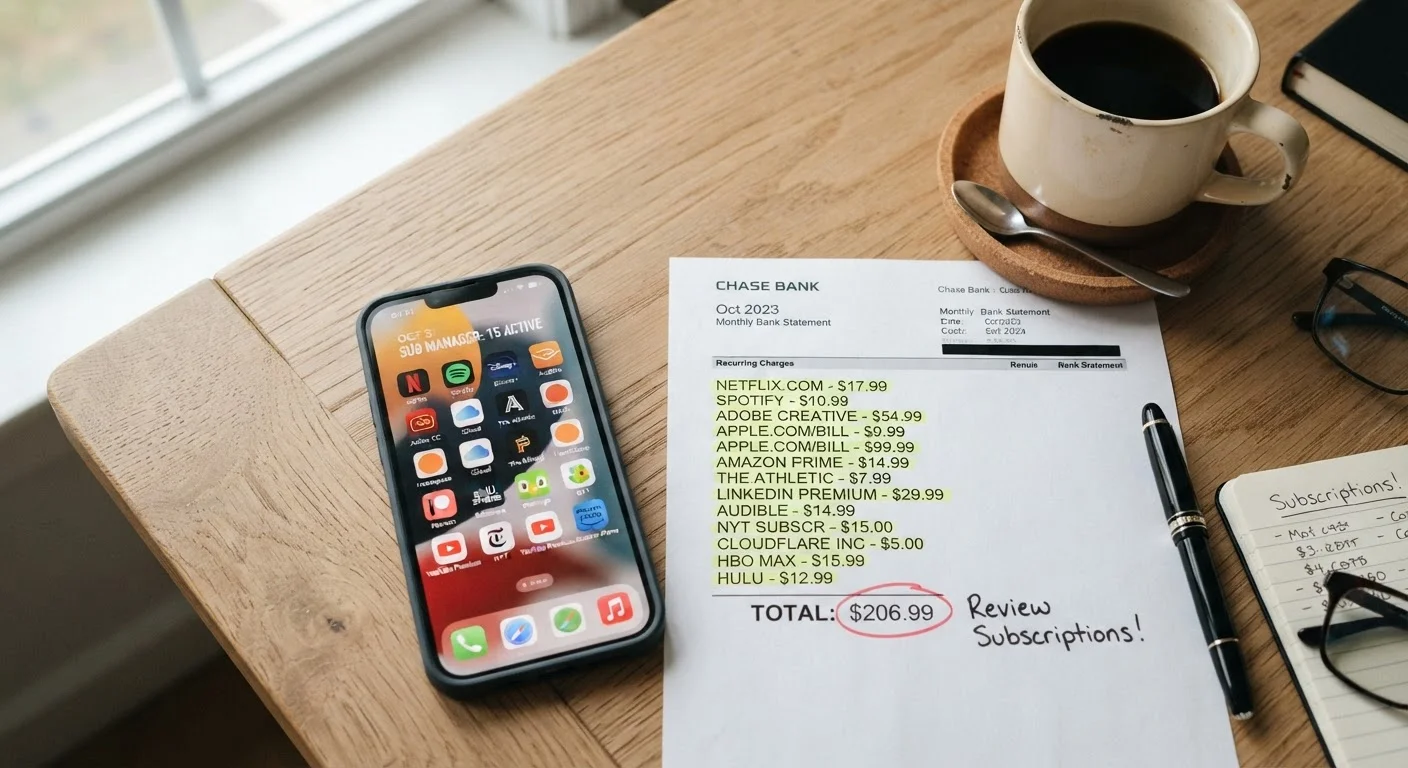
- A single bank or credit card statement review can surface forgotten charges quickly.
- Canceling unused subscriptions is one of the fastest ways to free up monthly cash flow.
- Setting a recurring calendar reminder helps prevent forgotten subscriptions from accumulating again.
What you will need
Why Forgotten Subscriptions Are So Common
Subscription billing is designed to be frictionless — charges recur quietly month after month without requiring any action from you. That convenience works in the company's favor, not yours. Research from consumer finance organizations has consistently found that people underestimate their monthly subscription spending, often by a wide margin.
Part of the problem is timing. You sign up during a free trial, a promotional offer, or a moment of genuine need — then life moves on. The service fades from your routine while the charge doesn't. This pattern shows up across entertainment, fitness apps, productivity software, news outlets, meal planning tools, and cloud storage plans. These are exactly the spending patterns that quietly undermine long-term goals.
The fix isn't complicated — it just requires a deliberate look at where your money is actually going. Think of it as a targeted version of a monthly budget audit, focused specifically on recurring charges.
Bank or credit card statements (last 90 days)
Primary source for identifying recurring charges by reviewing transaction history.
Email inbox search
Search terms like 'receipt,' 'subscription,' or 'billing' surface confirmation emails from active services.
Apple App Store or Google Play subscription settings
Lists all active in-app subscriptions tied to your mobile account in one place.
Spreadsheet or notes app
Track what you find, what you keep, and what you cancel during the audit.
Common Categories Worth Checking
Before diving into your statements, knowing where forgotten subscriptions tend to cluster helps you focus. These are the most common offenders:
- Streaming and entertainment: Video, music, audiobook, and podcast platforms — especially ones bundled with a free trial you forgot to cancel.
- Fitness and wellness apps: Meditation, workout tracking, and nutrition apps often charge annually, so they're easy to miss on a monthly statement scan.
- Cloud storage and software: Photo backup, password managers, and productivity suites can quietly renew each year.
- News and magazine subscriptions: Often started at a low introductory rate that quietly increased at renewal.
- Delivery and membership programs: Free shipping clubs, meal kit services, and retail membership programs with recurring fees.
- Gaming and app subscriptions: In-app purchases that converted to recurring plans, or gaming passes no longer used.
Free Trials Become Paid Charges Automatically
Many subscriptions start as free trials and convert to paid plans without a separate notification. If you signed up for a trial and didn't cancel before the deadline, you may already be paying. Check your statements for charges from services you only intended to try.
Forgotten subscriptions also compound the problem of patterns that keep people in debt longer than necessary when they're charged to a credit card you're already carrying a balance on — you're paying interest on something you're not even using.
How to Audit and Cancel
What you will need
Pull 90 days of bank and credit card statements
Download or print three months of transactions from every account and card you use regularly. Look specifically for charges that repeat monthly or annually from company names you don't immediately recognize — these are often subscription services using a parent company name instead of the product name you know.
Search your email for subscription receipts
Open your primary inbox and search for terms like "receipt," "invoice," "subscription," and "billing." Many services send a charge notification each billing cycle. Cross-reference what you find in email against what shows up in your bank statements to build a complete picture.
Check your phone's subscription settings
On iPhone, go to Settings → [Your Name] → Subscriptions to see every active in-app subscription. On Android, open the Google Play Store → Profile icon → Payments & subscriptions → Subscriptions. These lists often include charges that don't appear obviously in bank statements under a recognizable name.
List every recurring charge and decide: keep or cancel
Write down every subscription you found, its monthly cost, and when you last actively used it. For each one, ask a simple question: Would I pay for this again today if it weren't already set up? If the answer is no or uncertain, mark it for cancellation. Be honest — vague intentions to use something again rarely materialize.
Cancel what you're not using and confirm
Cancel each unwanted subscription through its official account settings — not just by deleting the app. After canceling, save the confirmation email or take a screenshot. Check your next statement to verify the charge no longer appears.
Once you've cleared out what you're not using, set a calendar reminder to repeat this process every three months. Subscriptions accumulate gradually — the same way unexpected costs catch car owners off guard. A quarterly check keeps things from piling up again.
Use a Dedicated Card for Subscriptions
Routing all subscription charges to a single credit or debit card makes them easier to spot during a monthly review. It also simplifies canceling everything at once if that card is ever compromised. This habit alone can save significant time during your next audit.
Canceling Through the App May Not Be Enough
Some subscriptions — especially mobile apps — require you to cancel through the platform where you originally subscribed (Apple App Store or Google Play), not just inside the app itself. Deleting an app does not cancel billing. Confirm cancellation via the original subscription channel and save any confirmation email.
This article is for general informational purposes only and does not constitute personalized financial advice. For guidance specific to your financial situation, consider speaking with a licensed financial professional.